How to add an addon domain in DirectAdmin
This tutorial will show you how to add an add-on domain on to your direct admin intermediate, deluxe or ultimate plan.
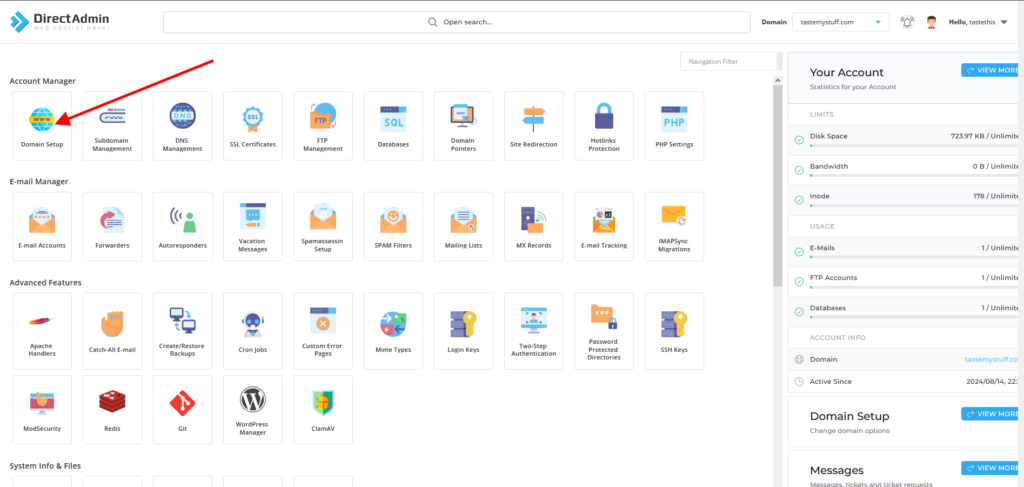
- Log in to your DirectAdmin control panel and then select “Domains” as per the image below
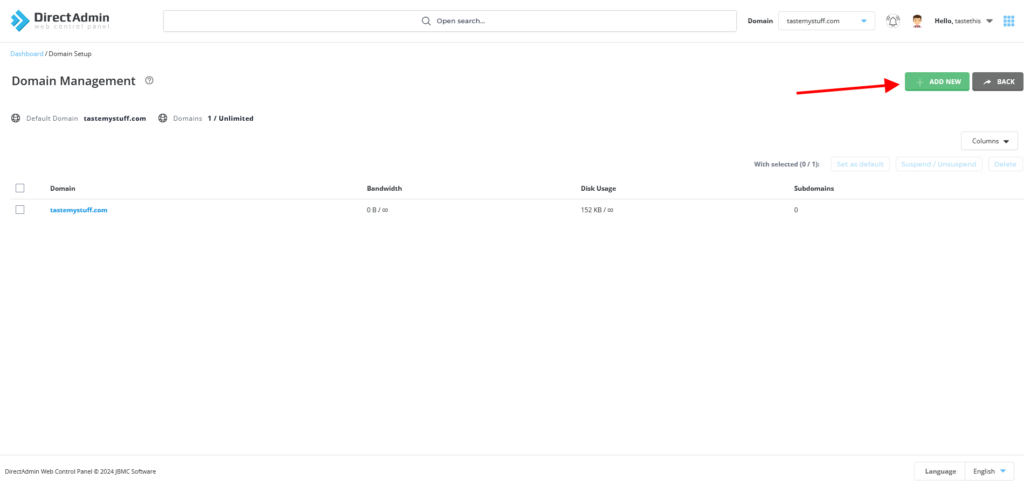
- From there, select Add new as per the image below.
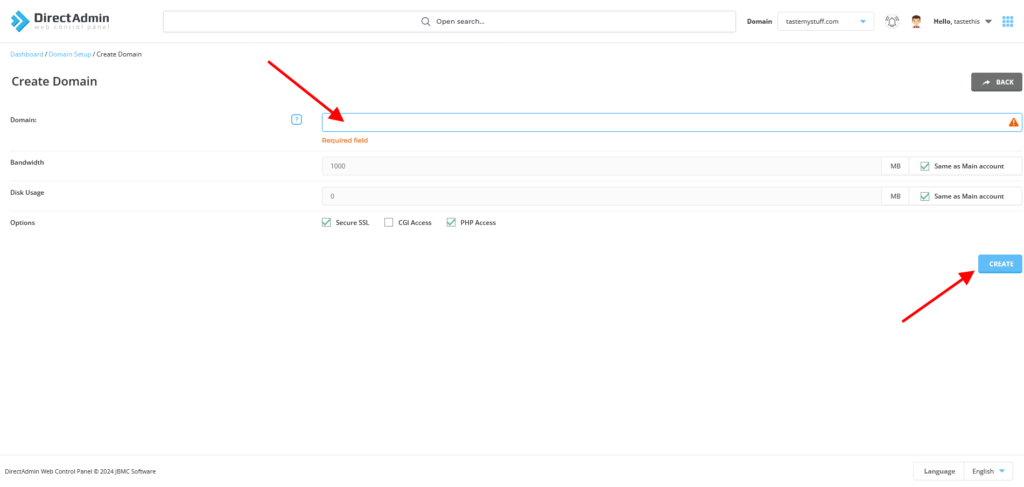
- From there you can enter your new addon domain name as per the image below then press “Create”
That’s it, you are done
Remember to update your nameservers to our nameservers to our hosting nameservers, which are|
ns5.your mail server
ns6.your mail server
If you need help updating your nameservers, please refer to this article on How to update your nameservers