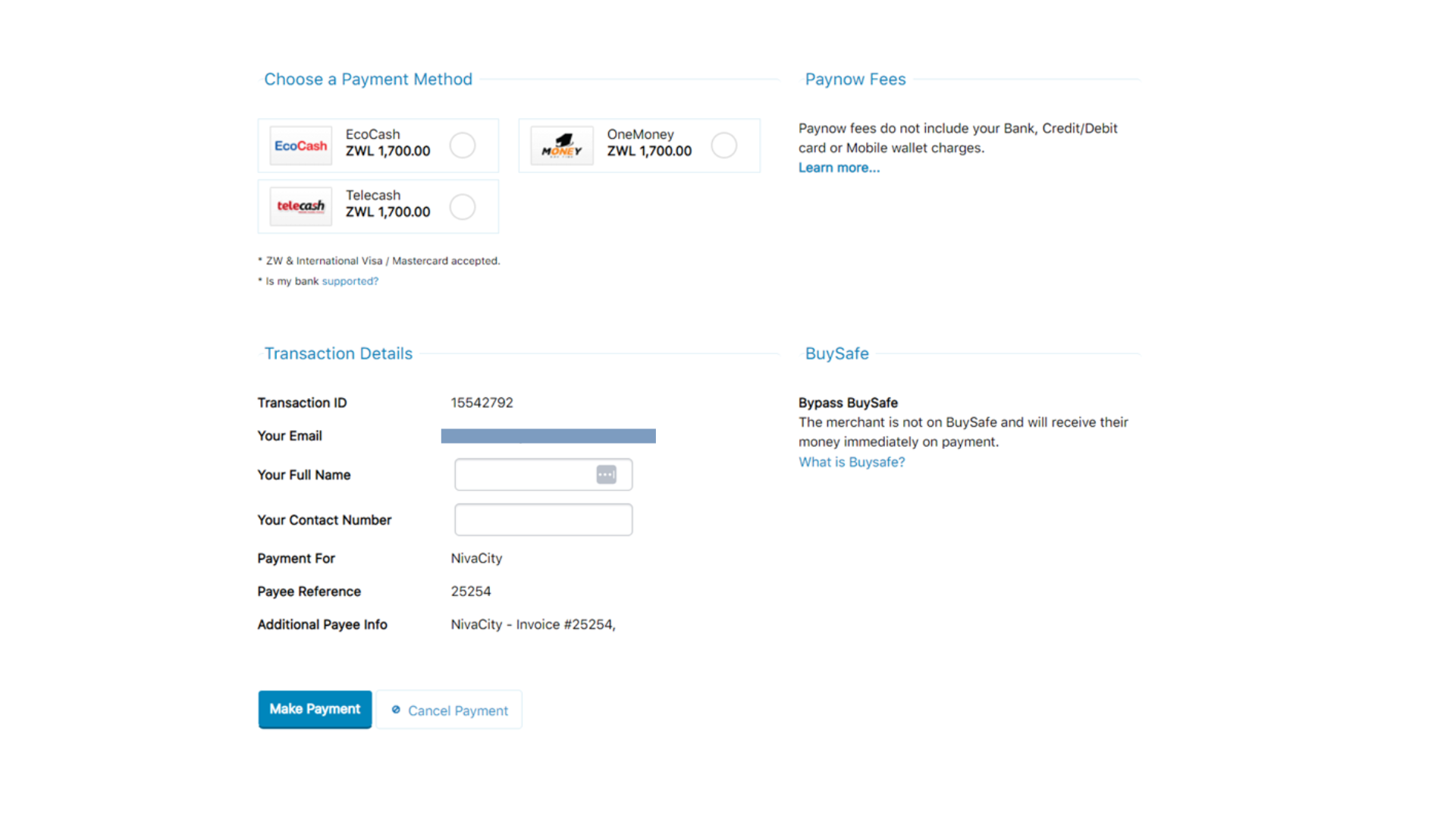
How to make a domain transfer order from the Clientzone
- Log in to your client zone https://clientzone.nivacity.com/login
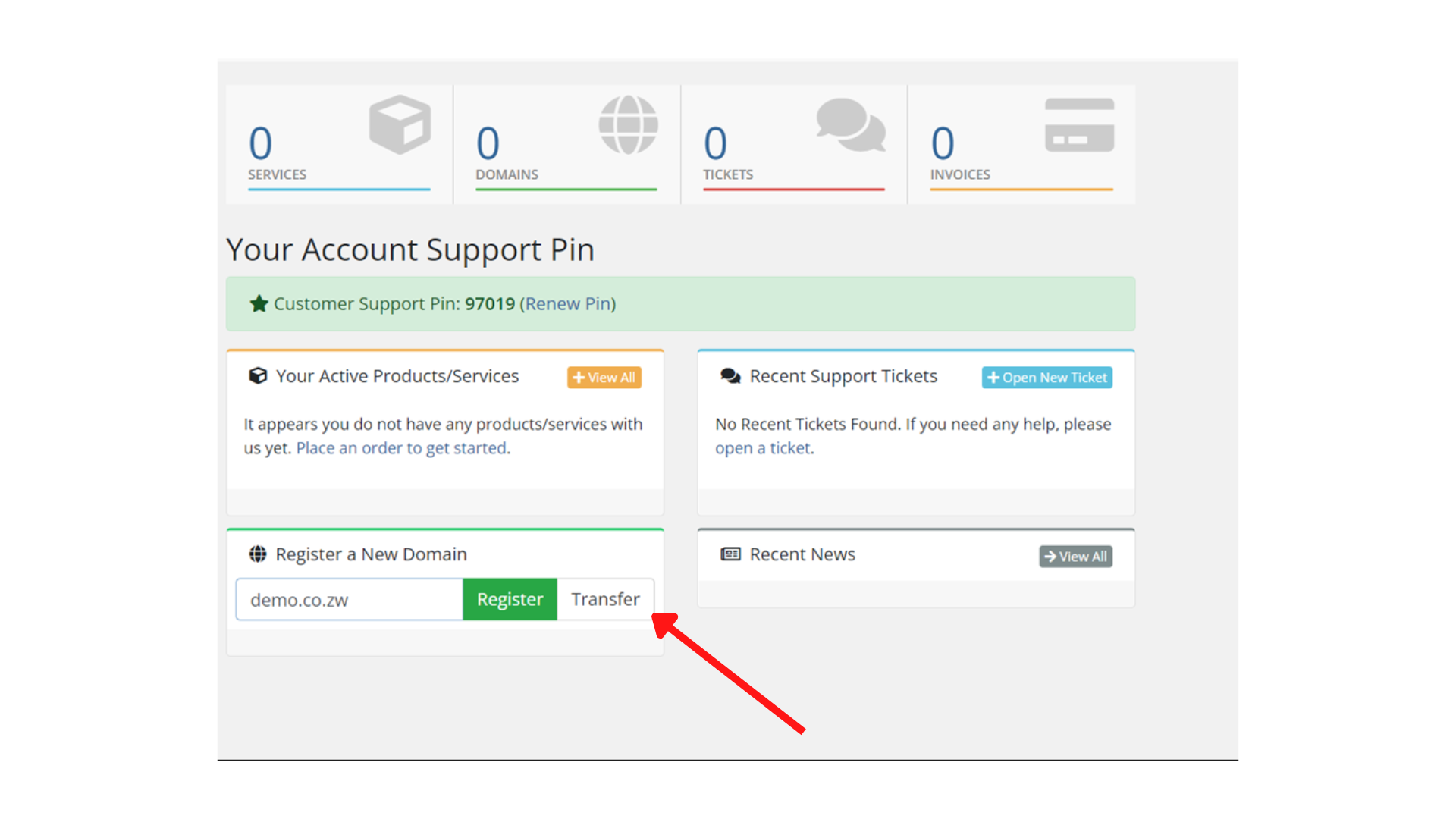
- Enter the domain name you want to transfer and click transfer.
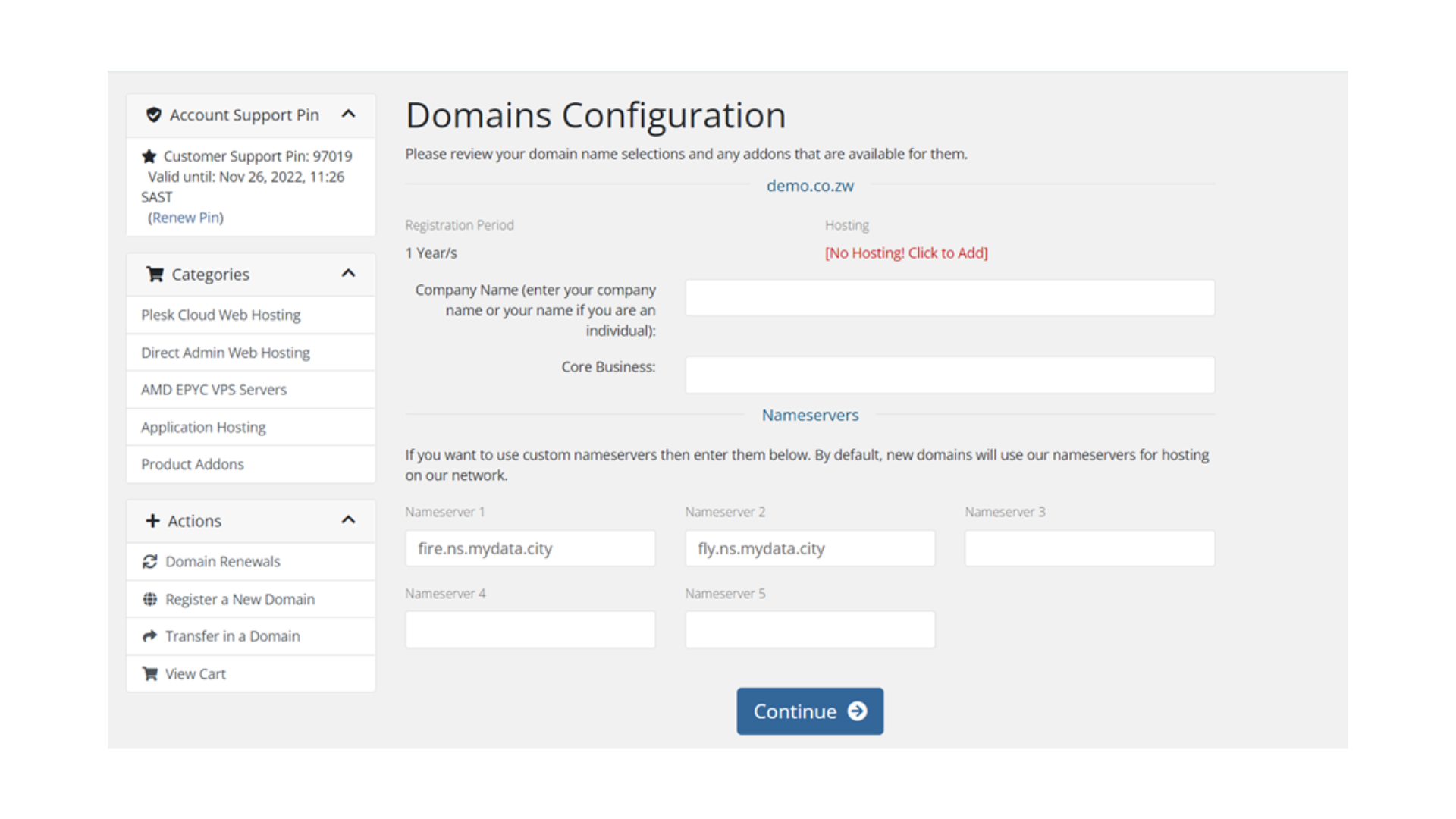
- Enter your Company name and core business. Change the nameservers to point to your hosting account/ server.
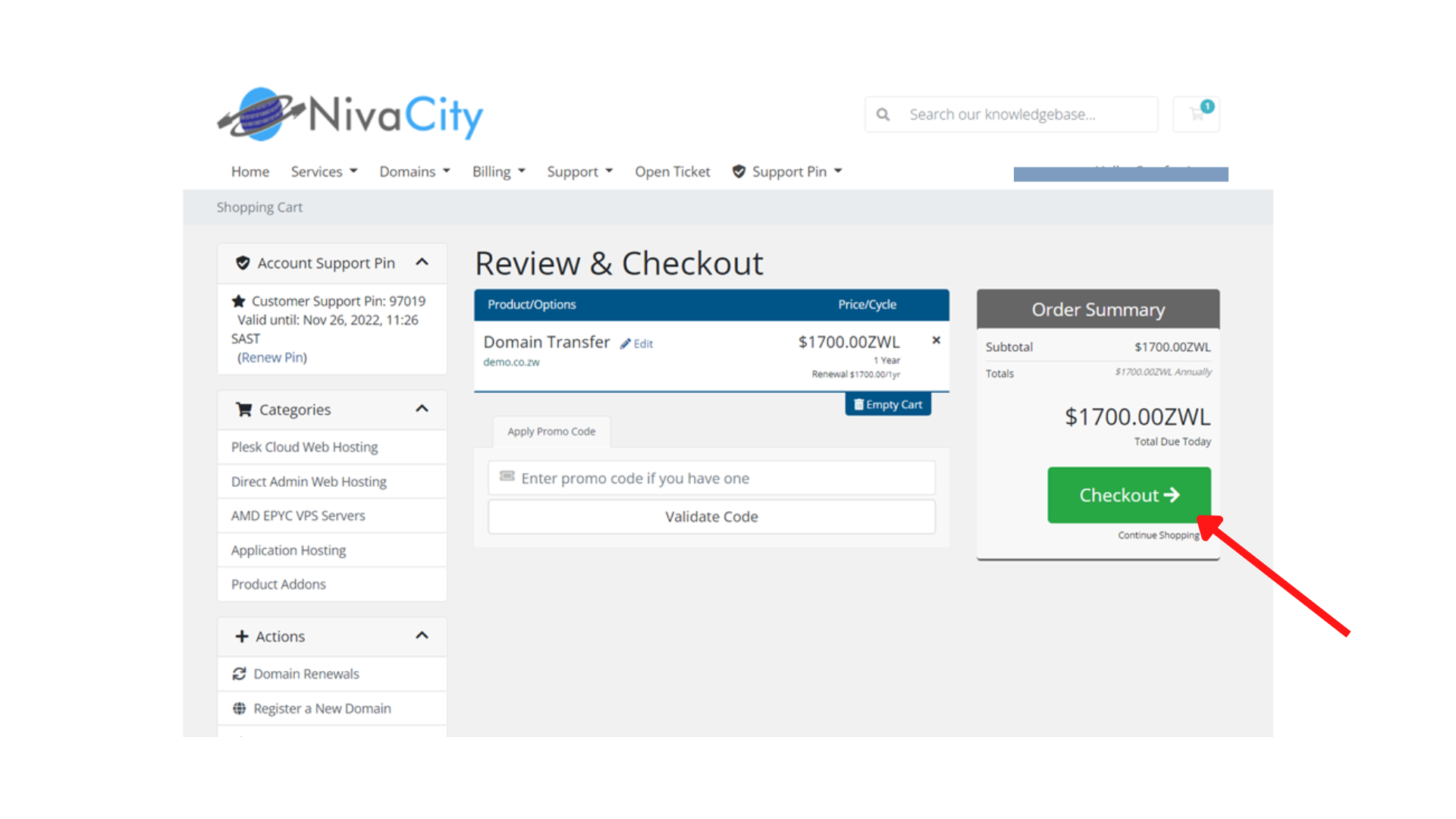
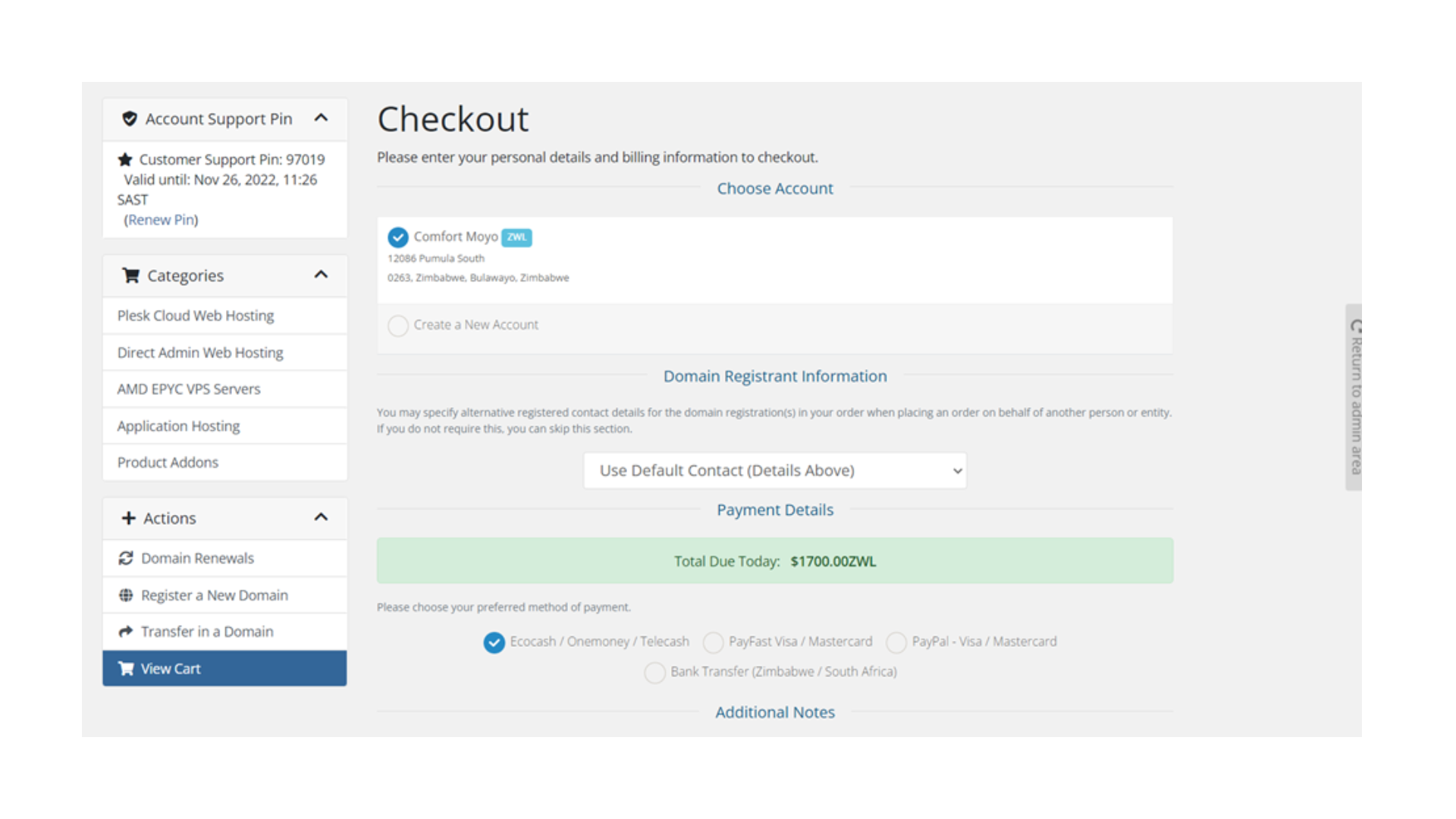
- Click the checkout button.
- Scroll down, check the T&Cs box and click the complete order button.
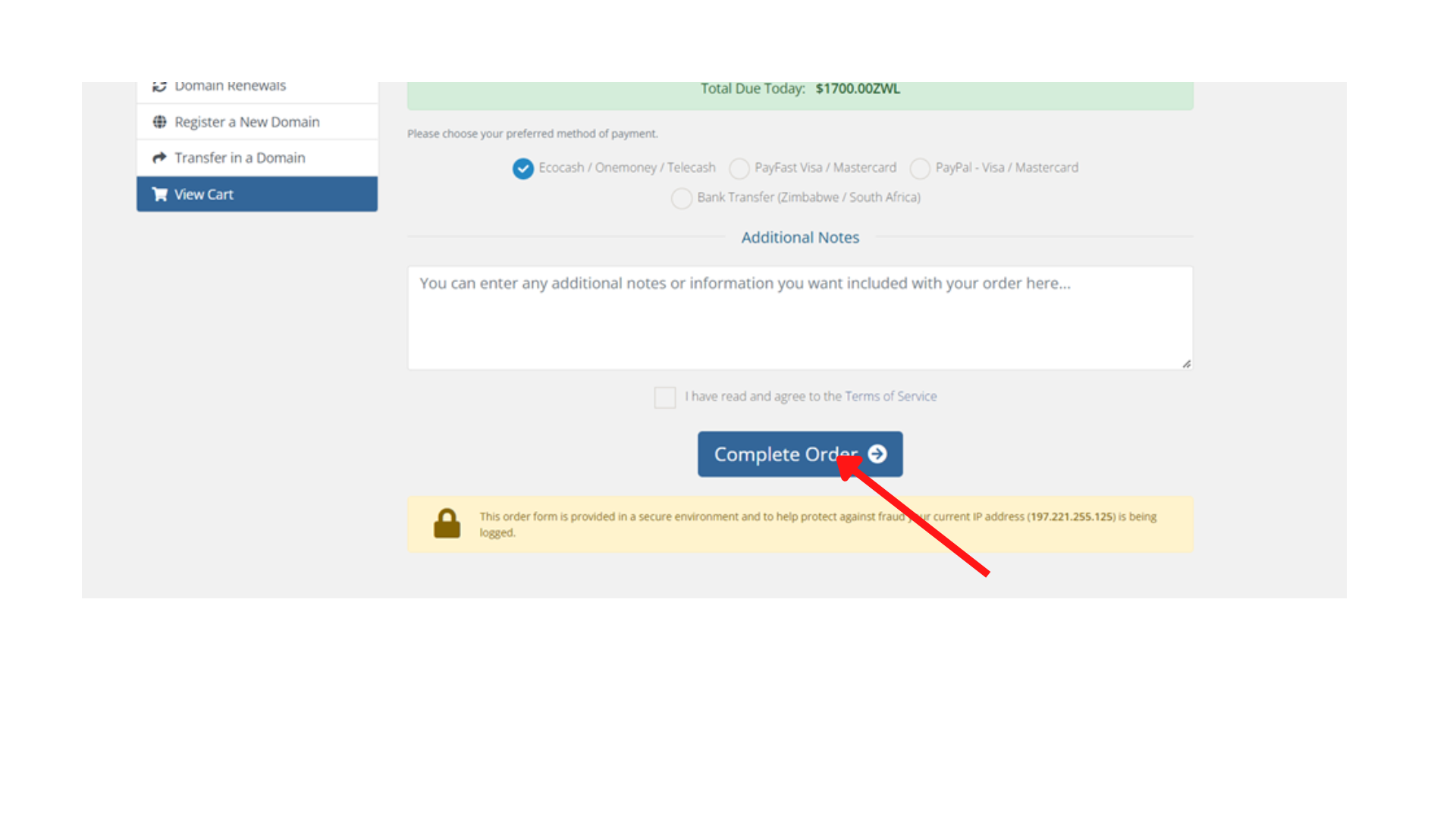
- Finally, process the transaction