How to install SSL certificates
What is an SSL Certificate?
An SSL certificate is a small data file that secures your website by encrypting the connection between your visitor’s browser and your web server. You know it’s working when you see the **padlock icon ** in the address bar and your site URL starts with https://.
It does three main things:
- Encrypts data - keeps user info like passwords and credit cards safe.
- Builds trust - visitors feel more secure using your site.
- Improves SEO - search engines like secure websites.
Step-by-Step Guide: Issuing a Free SSL Certificate in DirectAdmin
- Login to your DirectAdmin control panel from https://yourdomain.com:2222 replacing yourdomain.com with your actual domain name, and you will be presented with the options below
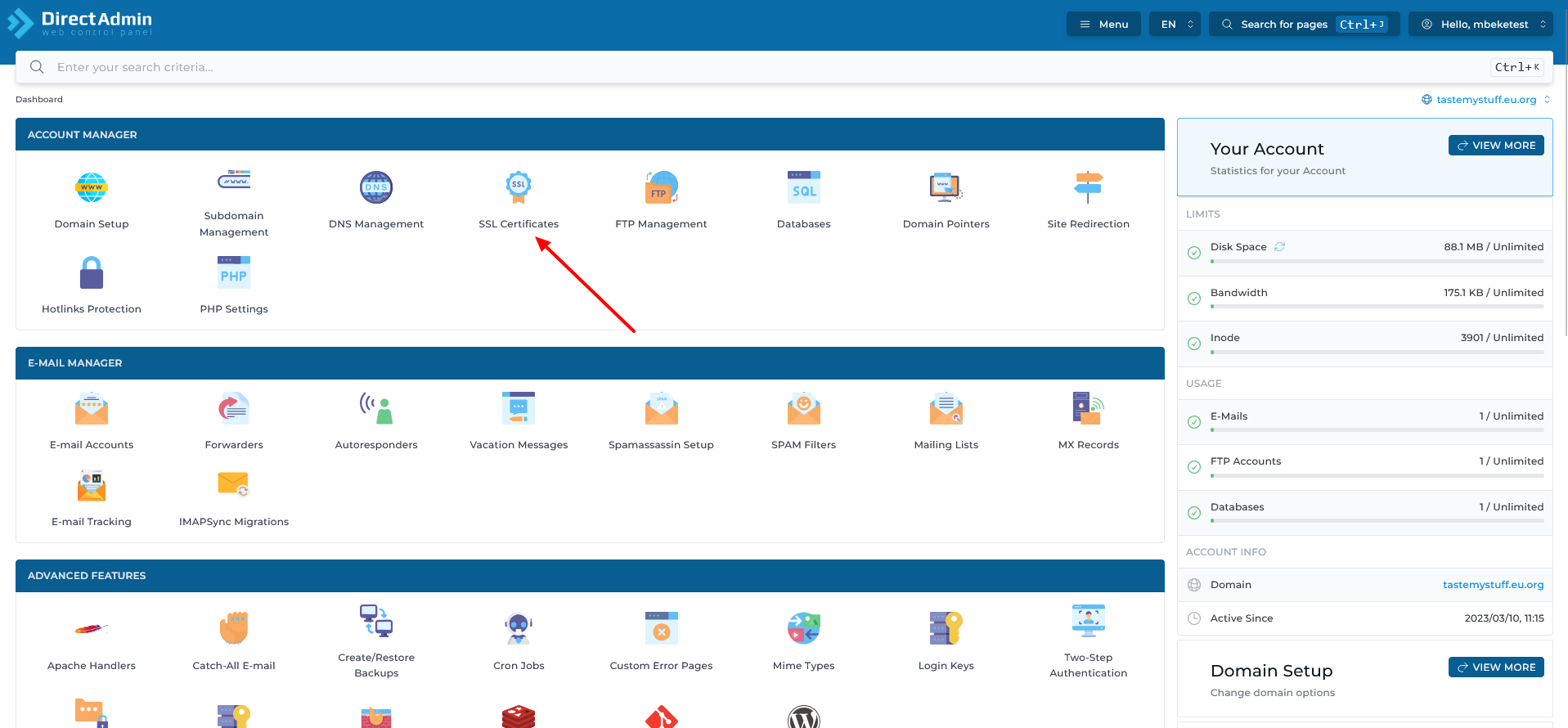
- Click on SSL Certificates and you will be presented with a layout like below.
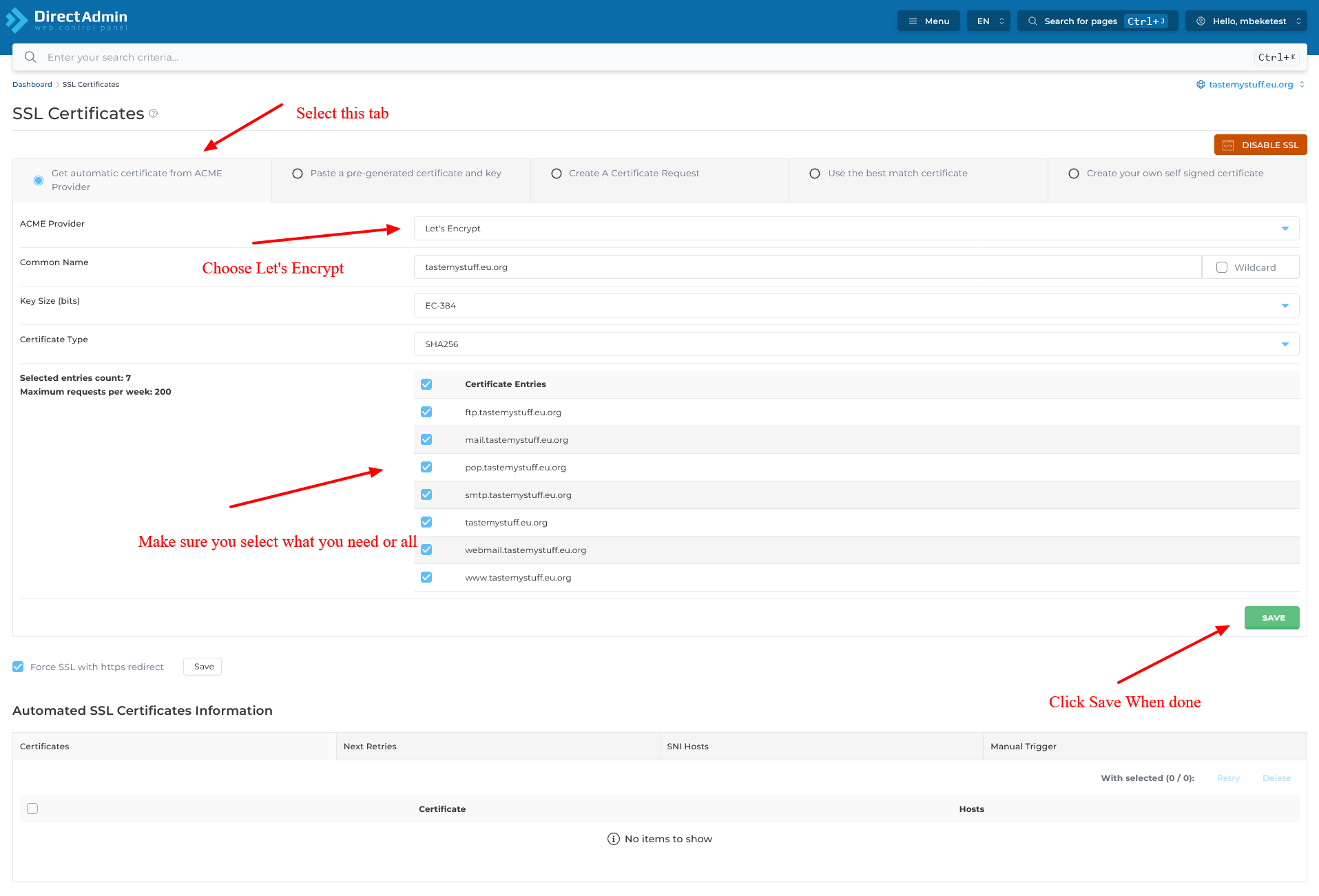
- As per the screenshot above, start by Selecting the First Tab where you Get an Automatic Certificate from Acme provider.
-
On the Acme Provider section select Let’s Encrypt or Zero SSL for automated SSL creation
-
On the Certificate Entries, choose the domains / subdomains you want secured, select all of your domain is pointing via Namesevrers and if you are using external DNS select the entries that you have pointed.
- When done, Press SAVE to generate your SSL Certificate.
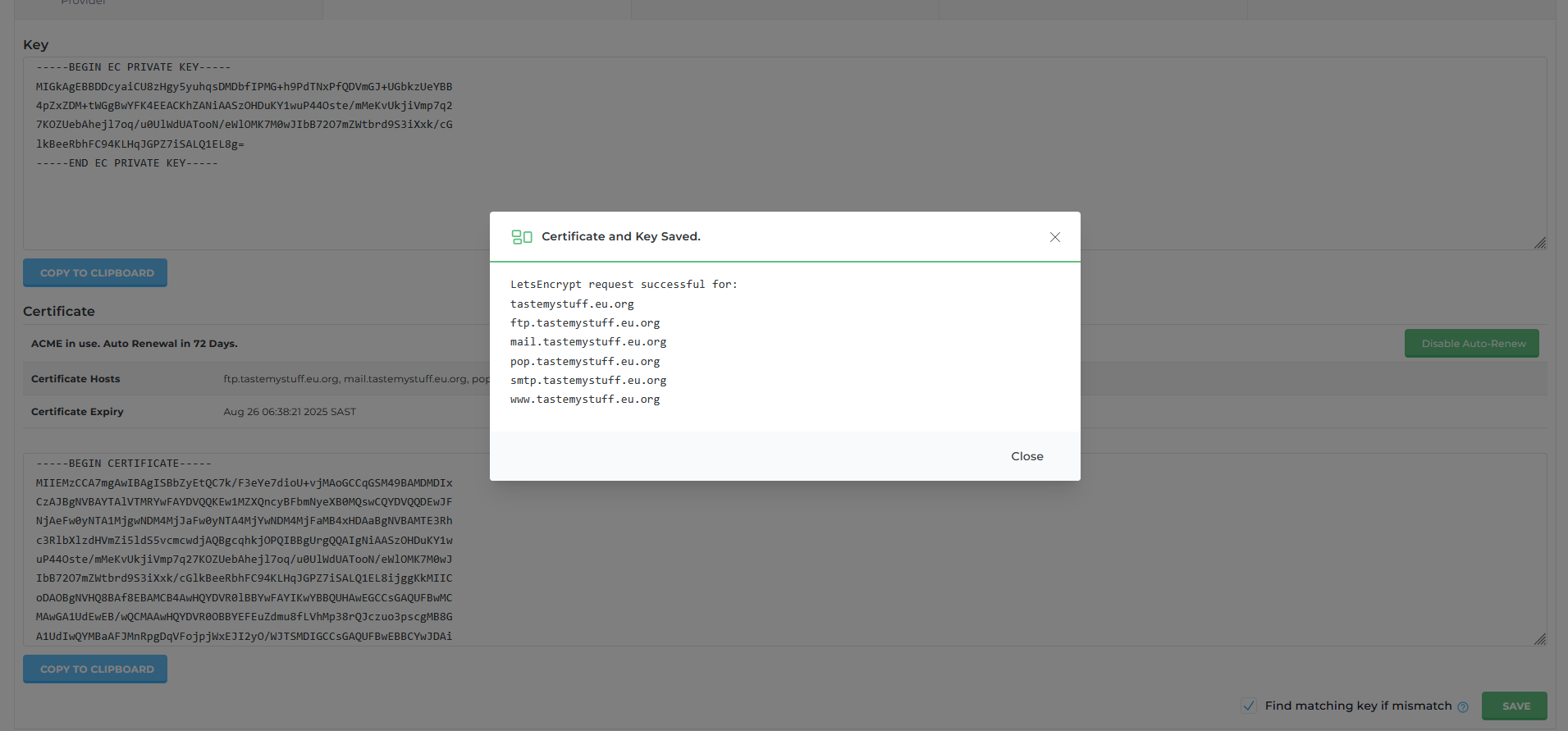
- If everything is successful, you will see an image like above.