phpMyAdmin
phpMyAdmin is a free and open source administration tool for MySQL and MariaDB. As a portable web application written primarily in PHP, it has become one of the most popular MySQL administration tools, especially for web hosting services.
phpMyAdmin is a free software tool written in PHP that is intended to handle the administration of a MySQL or MariaDB database server. You can use phpMyAdmin to perform most administration tasks, including creating a database, running queries, and adding user accounts.
In order to be able to log into phpMyAdmin, follow the steps below :
Step 1 : Firstly, you will need to create a database on “ MySQL Management “ under “ Account manager “.
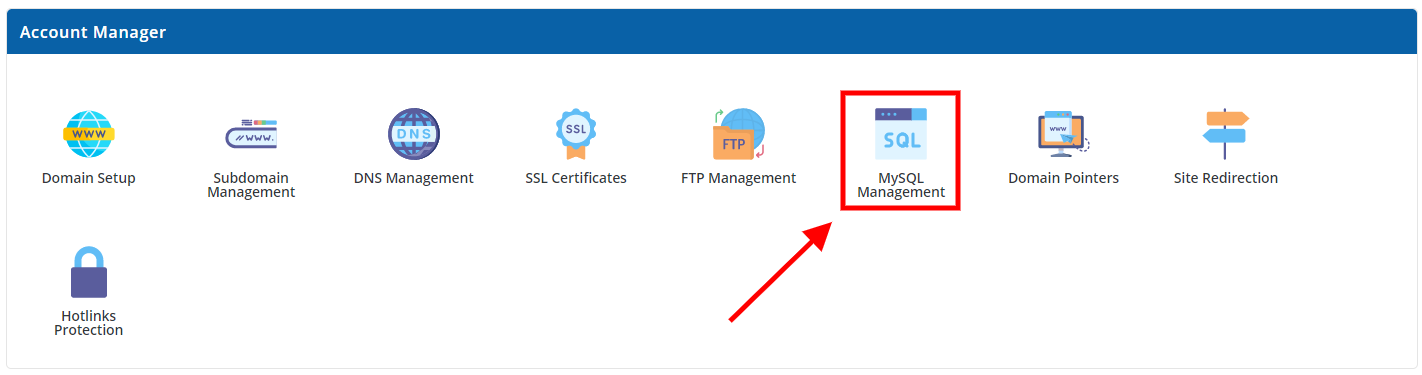
Step 2 : Once you have created the database, you will now have your “ database username “ and your “ password “. Which you will use to log into phpMyAdmin.

Login in to phpMyAdmin :
Step 1 : Click on “ phpMyAdmin “ under “ Extra Features “.

Step 2 : Once you have been directed to the “ phpMyAdmin “ login page, fill in your login details an click “ Go “
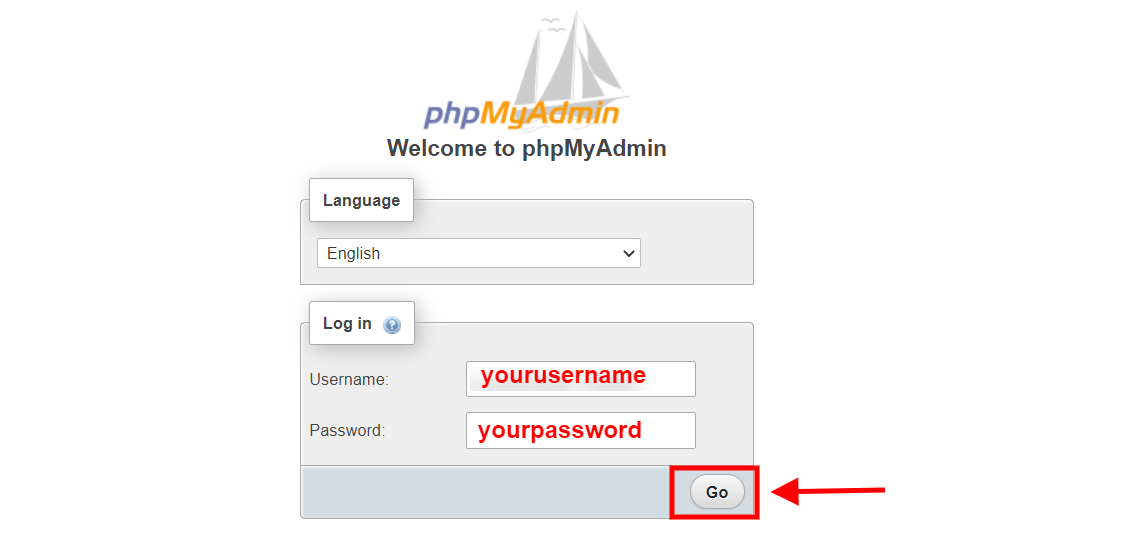
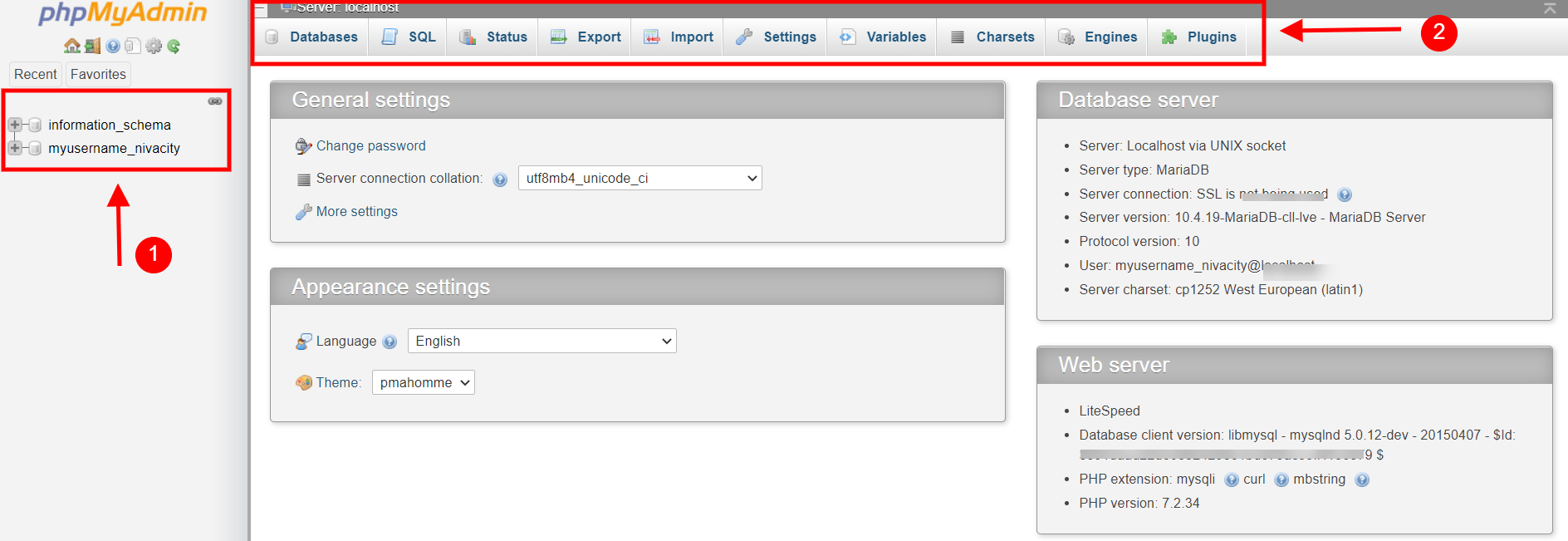
Once you have logged in you will be directed to the phpMyAdmin dashboard, where you will be able to view all your database and edit it whatever way suitable for you.
phpMyAdmin is explained below :
1.On your left hand side of the phpMyAdmin dashboard is your database.
2.on the top you’ve got more options lined up horizontally where you can create database, run SQL queries, view your statuses, export and import database and soo much more.
Thank you!!